Evaluating Dot Grid Notebook Interiors for KDP Publishing
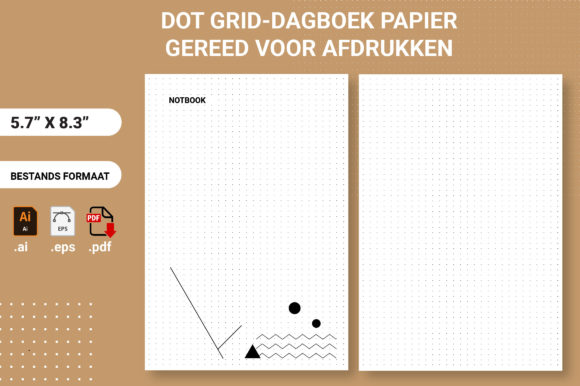
The dot grid notebook has established itself as a staple in the low-content and medium-content publishing space, particularly for creators utilizing Amazon KDP. Unlike lined or blank journals, the dot grid offers a unique balance of structure and freedom that appeals to a specific demographic of planners, bullet journalists, and technical sketchers. For publishers and designers, understanding the nuances of this format goes beyond simply placing dots on a page; it requires a technical grasp of file standards, interior design psychology, and market positioning. When sourcing or creating interiors in AI, PDF, or EPS formats, the distinction between a functional product and a generic commodity often lies in the precision of the digital assets used.
Functional Value and User Experience
To create a successful dot grid notebook, one must first understand why end-users prefer this layout over traditional alternatives. The primary value proposition is guided flexibility. The faint dots provide anchor points for drawing straight lines, creating geometric shapes, or maintaining consistent handwriting size without the visual clutter of horizontal rules. This makes the format exceptionally popular among architects, engineers, UX designers, and bullet journal enthusiasts who require spatial awareness on the page.
From a usability standpoint, the spacing of the grid is critical. The industry standard is typically 5mm, which aligns with most fountain pen nib sizes and standard handwriting scales. However, variations such as 4mm for compact writing or 7mm for larger sketching exist. When evaluating an interior file, verify that the grid spacing is mathematically consistent across the entire spread. Inconsistent margins or drifting grids are common defects in poorly generated AI files that render a notebook unusable for precision work. A high-quality interior maintains perfect alignment from the first page to the last, ensuring that users can rely on the tool for professional documentation or detailed planning.
Technical Standards for KDP Interiors
The production quality of a dot grid notebook is entirely dependent on the source file type. While many marketplaces offer bundles containing AI, PDF, and EPS formats, each serves a distinct purpose in the publishing workflow. Understanding these differences prevents costly printing errors and ensures a professional final product.
Adobe Illustrator (AI) Files
The AI file is the master source for customization. It allows publishers to adjust dot opacity, change grid color, modify margins, or add branding elements like headers and footers. For serious KDP entrepreneurs, access to the editable AI file is non-negotiable. It enables the creation of unique variations from a single base asset, preventing duplicate content issues on Amazon. When assessing an AI interior, check for organized layers and proper artboard setup. The document should be sized to the exact trim size plus bleed, with all text and grid elements converted to outlines or kept as live vectors to prevent font substitution errors.
PDF Format for Direct Upload
For publishers who do not require customization, the print-ready PDF is the most practical format. A properly prepared KDP interior PDF must be flattened to avoid transparency issues during the printing process. High-resolution vector PDFs are superior to rasterized images because they maintain crisp edges at any zoom level and result in smaller file sizes. Verify that the PDF includes the correct bleed settings—typically 0.125 inches on the outer edges—and that the safe zone margins account for binding gutter shift. A common failure point in pre-made PDFs is insufficient inner margin space, which causes the dot grid to disappear into the book’s spine.
EPS Files for Cross-Platform Compatibility
Encapsulated PostScript (EPS) files serve as a versatile middle ground. They are vector-based like AI files but compatible with a wider range of design software, including Affinity Designer, CorelDRAW, and older versions of Adobe Suite. EPS files are particularly useful for designers who want to integrate dot grid patterns into custom covers or composite layouts without being locked into the Adobe ecosystem. Ensure the EPS file does not contain embedded raster previews that might accidentally be used instead of the vector data, as this would result in pixelated printing.
Design Considerations and Print Quality
The visual weight of the dots is perhaps the most significant factor influencing customer satisfaction. Dots that are too dark compete with user content, defeating the purpose of the subtle guide. Dots that are too light may fail to reproduce clearly on standard KDP paper stock, especially on cream paper which absorbs more ink than white paper. Professional-grade interiors typically use a gray value between 15% and 25% black, or a specific Pantone spot color optimized for offset digital printing.
Paper opacity also plays a role in interior design decisions. Standard KDP paper is 55# (90 GSM), which is prone to ghosting when used with markers or heavy gel pens. While publishers cannot change the paper weight, they can mitigate user frustration by avoiding solid black fills or heavy graphical elements near the grid. Keeping the dots minimal and the surrounding area clean helps reduce the perception of bleed-through. Additionally, consider adding functional elements that increase perceived value, such as index pages, ruler guides on the edges, or conversion charts. These additions transform a basic utility item into a specialized tool, justifying a higher price point and improving market differentiation.
Audience Fit and Market Application
Not every niche benefits equally from dot grid interiors. Identifying the right audience prevents wasted ad spend and inventory stagnation. Professionals aged 25–45 involved in STEM fields, design, or project management represent the core demographic. They value precision and are less price-sensitive than students seeking generic school supplies. Freelancers and content creators also favor this format for storyboarding and wireframing, where the ability to sketch interfaces alongside written notes is essential.
Conversely, audiences focused purely on long-form prose, such as novelists or diary writers, generally prefer lined paper. Marketing a dot grid notebook as a "journal" without specifying its utility for planning or sketching often leads to negative reviews citing difficulty with continuous writing. Successful publishers segment their listings clearly, using titles and descriptions that highlight specific use cases like "engineering log," "bullet journal," or "design sketchbook" rather than generic terms.
Evaluating Long-Term Viability and Limitations
While dot grid notebooks remain a steady seller, the barrier to entry is low, leading to market saturation. Relying solely on stock interiors without modification limits long-term viability. Publishers should view AI, PDF, and EPS files as starting points rather than finished products. Adding proprietary content, such as instructional guides for specific notation systems or customized tracking templates, creates defensible intellectual property.
Be aware of licensing restrictions when purchasing commercial use rights for interiors. Some licenses prohibit using the file "as-is" and require significant modification. Others may limit the number of units sold or restrict usage to specific platforms. Always review the license agreement before publishing. Furthermore, test print any new interior file through KDP’s proofing process before launching. Screen calibration varies, and what looks like a perfect 20% gray on a monitor may print as invisible or muddy on physical paper. Real-world testing is the only reliable method to validate quality.
Ultimately, the dot grid notebook succeeds when treated as a precision instrument rather than a generic stationery item. By prioritizing technical accuracy in file preparation, understanding the functional needs of professional users, and maintaining rigorous quality control over print reproduction, publishers can build sustainable products that serve genuine market demands. The availability of multiple file formats facilitates this professionalism, offering the flexibility needed to adapt to different workflows while maintaining the consistency required for brand trust.